


As you can probably see the website now has a new look and although at first it might not be too obvious, it has also a new technology behind it.
Previously I’ve used WordPress and I had many years of experience running blogs and websites with it. However being focused on the AWS ecosystem I reached to a point where I just cannot continue using WordPress properly. You might ask why?
Well, to run Wordpress properly in a highly available configuration on AWS I have set it up like this:
- at least two different instances in different availability zones
- an RDS database
- a load balancer in front of the instances
- an EFS file system to store the website and serve it to the instances
This was my setup. Sure, you could run it in other, maybe cheaper configurations for WordPress, if you don’t really care for high availability.
And this started costing too much. Before, I have been running other websites as well on the same servers and those mostly paid for the WordPress blog. But I have migrated all other websites to serverless. So there was no one left to subsidize this blog. Although it is not a fortune, it is still an amount that can be saved. And the frugality principle tells us that we should aim to be as frugal as possible.
The obvious choice was to move this to a serverless platform as well. I have been looking for a static website generator for a long time but none of them really ticked all the boxes for me. Up until now.
A few days ago I have discovered Astro and after a little bit of experimenting I was ready to move.
INFO
Astro is a Javascript framework for building websites and is best-known for pioneering a new frontend architecture to reduce JavaScript overhead and complexity compared to other frameworks. If you need a website that loads fast and has great SEO, then Astro is for you.
Using Astro allows me to create a fully static website that I can host on S3, serve it through CloudFront and still have good editing capabilities through Keystatic CMS. I can do the edits locally, push them to Github and from there the CI/CD pipeline will pick it up, build the static website and deploy it to S3.
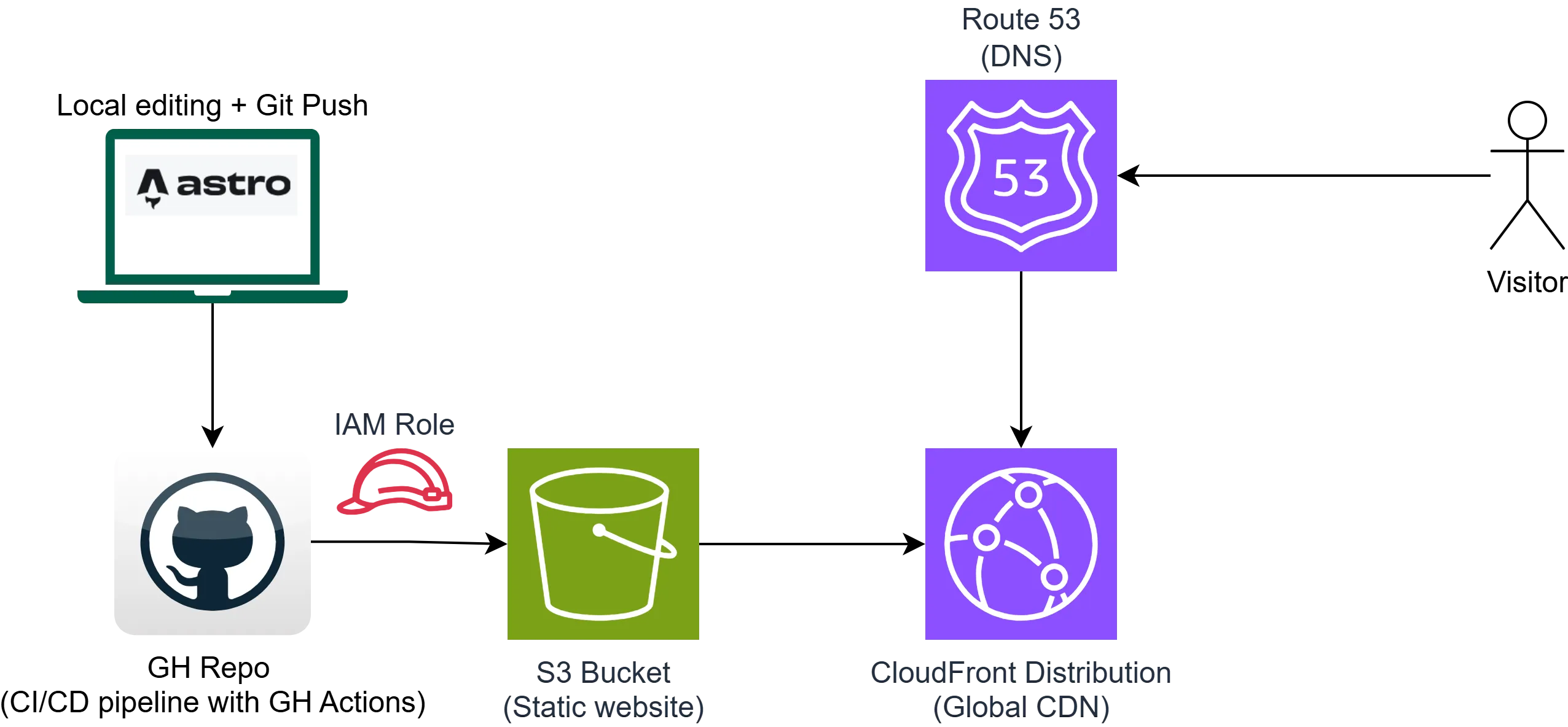
Everything is serverless and highly available. I only pay for what I use and I no longer have the headache of maintenance of the servers.
I had to import the content from the old WordPress website but that went quickly, I just told Claude Code to create a small crawler to crawl the old website and extract the articles and images and in no time the content was already imported into the new website. This is actually one of my favorite use cases for coding assistants: small throwaway automation scripts that otherwise I would have never written.
So now the only thing left for me is to create more content!